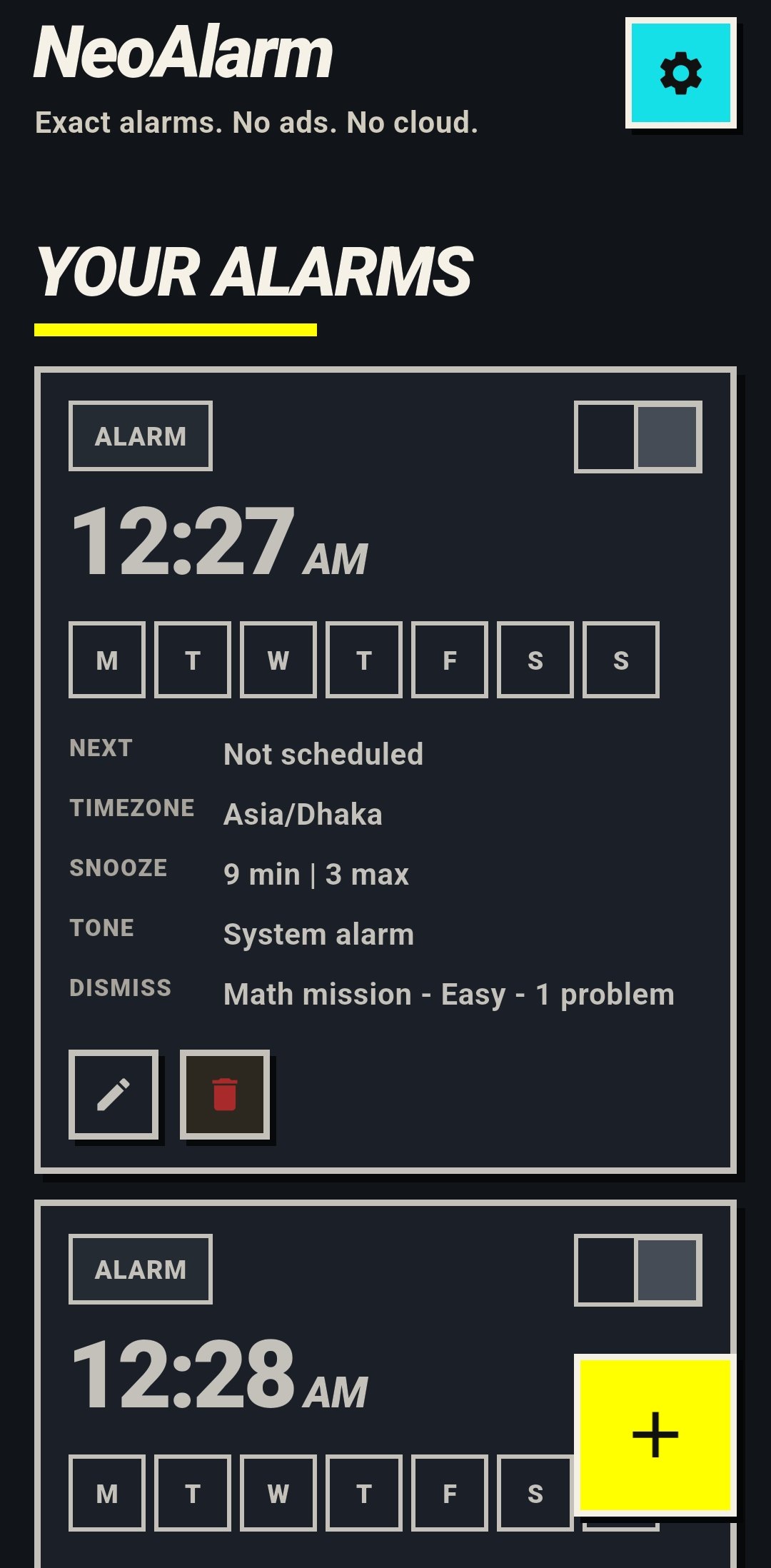
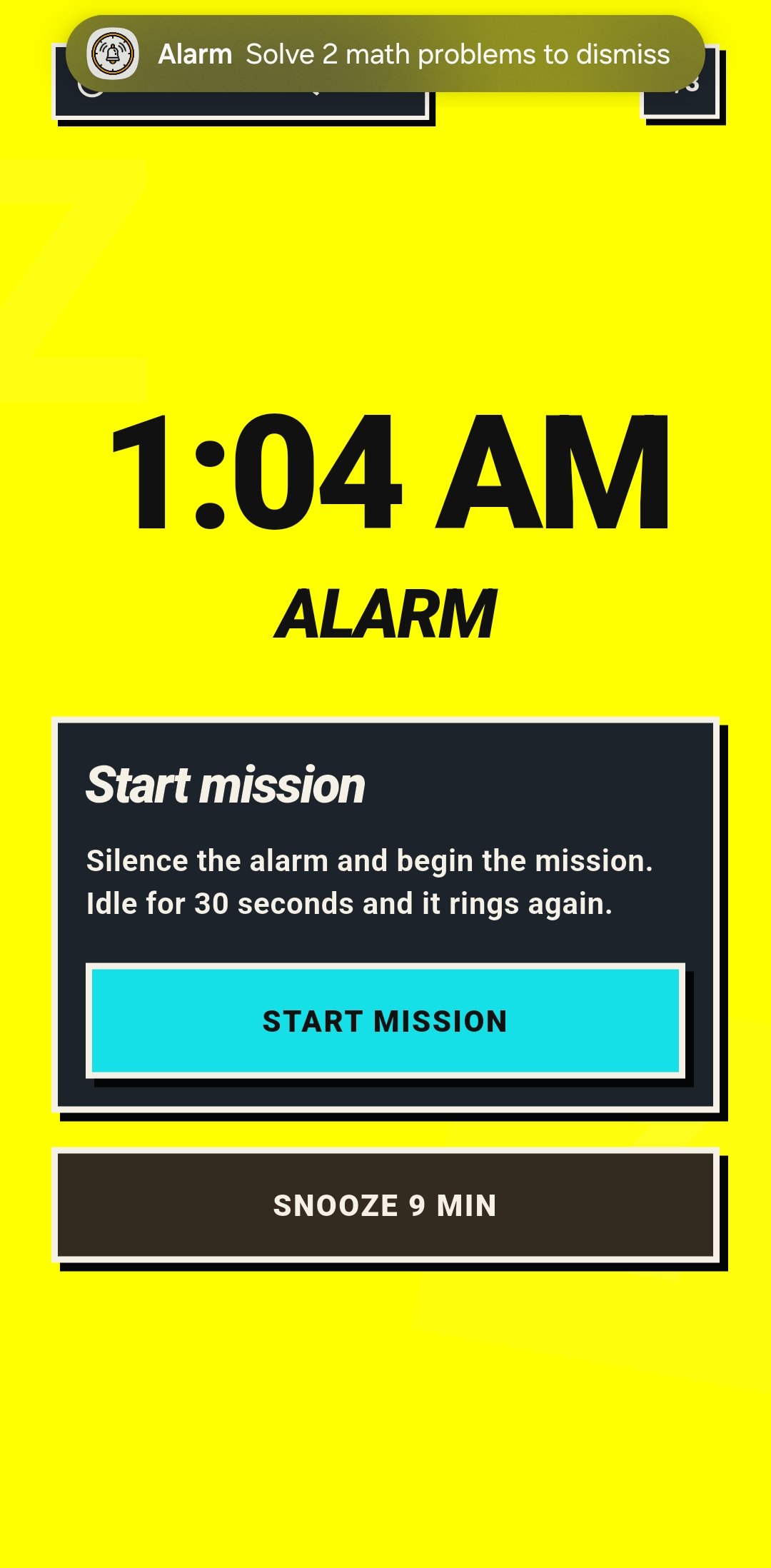
Overview
Most alarm apps are easy to style and hard to trust. NeoAlarm is designed as a
reliability product, not a clock widget with extra screens. The app is
intentionally split into two execution domains: Flutter owns the product
surface — dashboard, alarm editing, mission UI, diagnostics. Kotlin owns
everything that must remain correct even if Flutter isn't alive — exact scheduling via
AlarmManager.setAlarmClock(), foreground ringing, session persistence, lock-screen
launch, inactivity enforcement, and dismissal authorization.
That split is a systems boundary, not a convenience choice. When the authority line between UI and engine is blurry, alarm apps accumulate hidden failure modes: UI state acts like source of truth, mission progress becomes route-dependent, and background enforcement depends on a live isolate.
The Scale-Up Struggle & Engineering Highlights
This system wasn't just built; it was hardened against the reality of Android alarm execution: overnight Doze, reclaimed processes, reboots before unlock, and sensor-driven missions that demand real-time enforcement.
The Problem: Flutter is great for UI velocity, but an alarm app has to survive overnight Doze, reclaimed app processes, boot events, and lock-screen launch constraints. If alarm-critical behavior depends on a live Flutter isolate, the alarm is unreliable.
The Fix: A strict Dart/Kotlin systems boundary. Flutter sends intents only — it can configure missions and render progress, but it cannot decide that a mission is complete and cannot dismiss an alarm on its own. The native alarm engine starts audio, vibration, and session persistence before any Flutter UI is required. Recovery after process death restores directly into the active alarm flow from persisted native state.
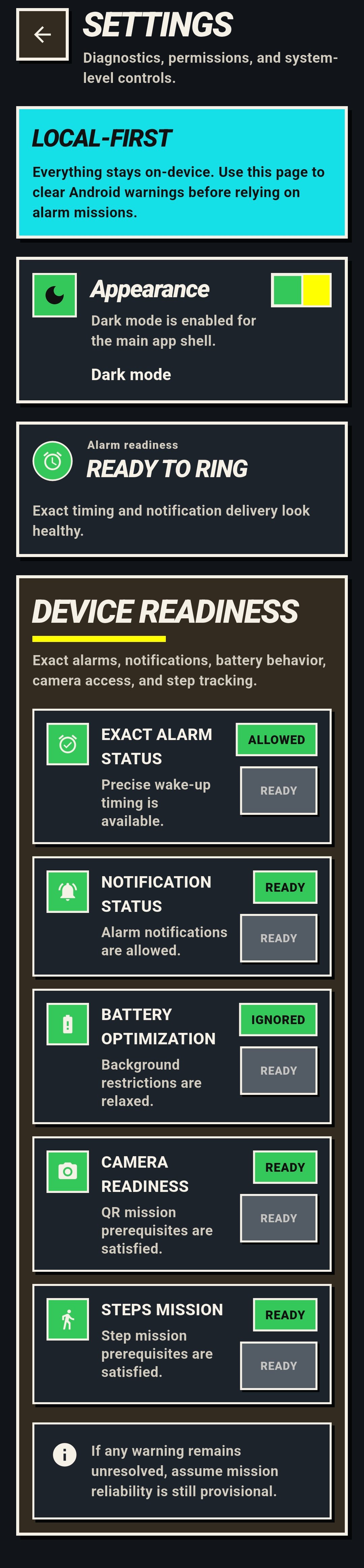
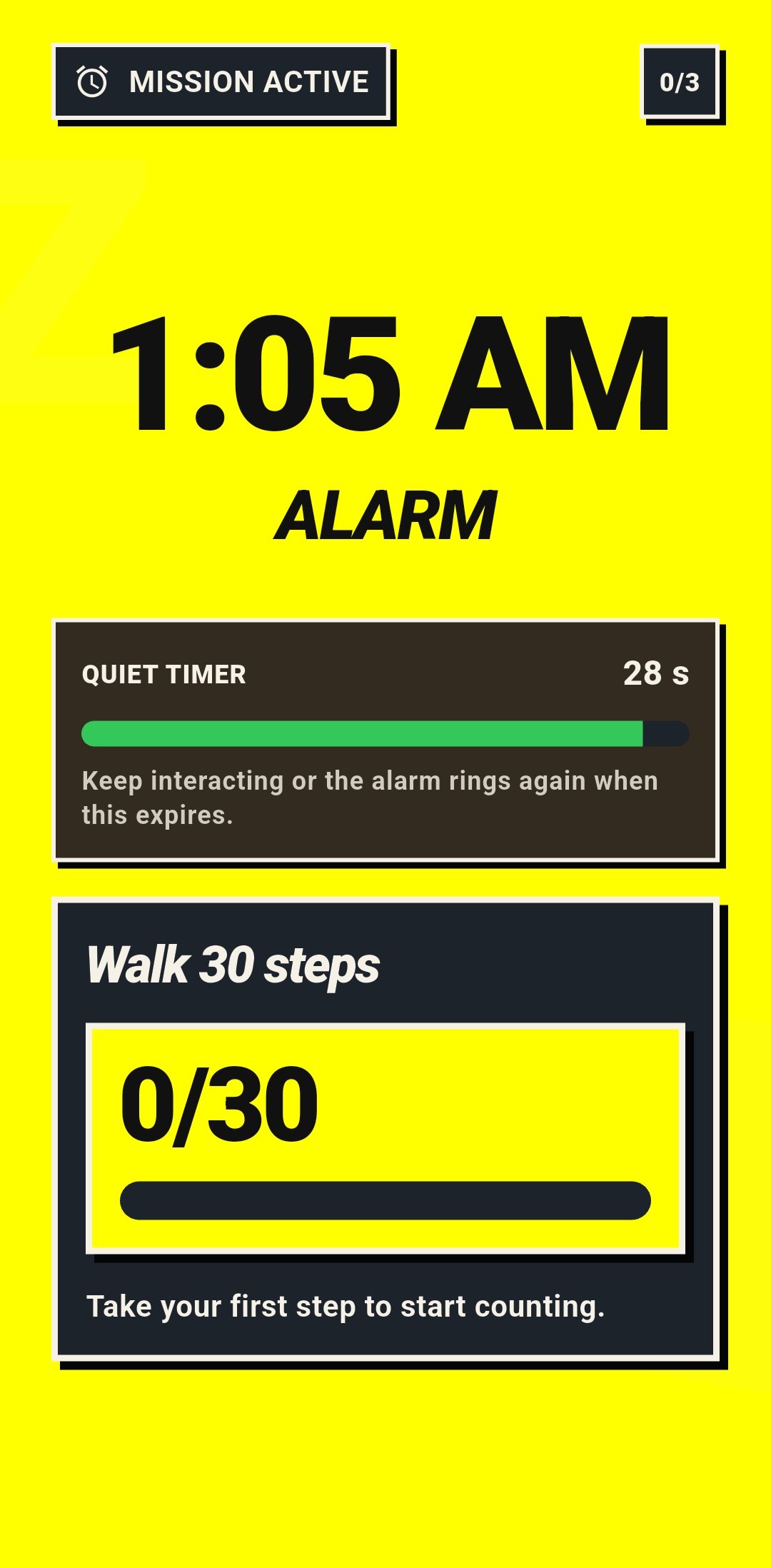
The Problem: Naive mission alarm: screen opens → alarm goes silent → user ignores the mission. Opening a screen is not evidence of real engagement. A user can tap into the mission and then do nothing, stalling forever.
The Fix: A three-layer enforcement model. First,
a confirmation step creates a deliberate transition from coercion to
effort — the alarm stays loud until the user explicitly accepts the mission. Second,
native inactivity enforcement revokes silence after 30 seconds of no
mission-valid activity. Third, mission-specific activity validation —
math uses answer submission, steps uses TYPE_STEP_DETECTOR events, generic
screen taps don't count.
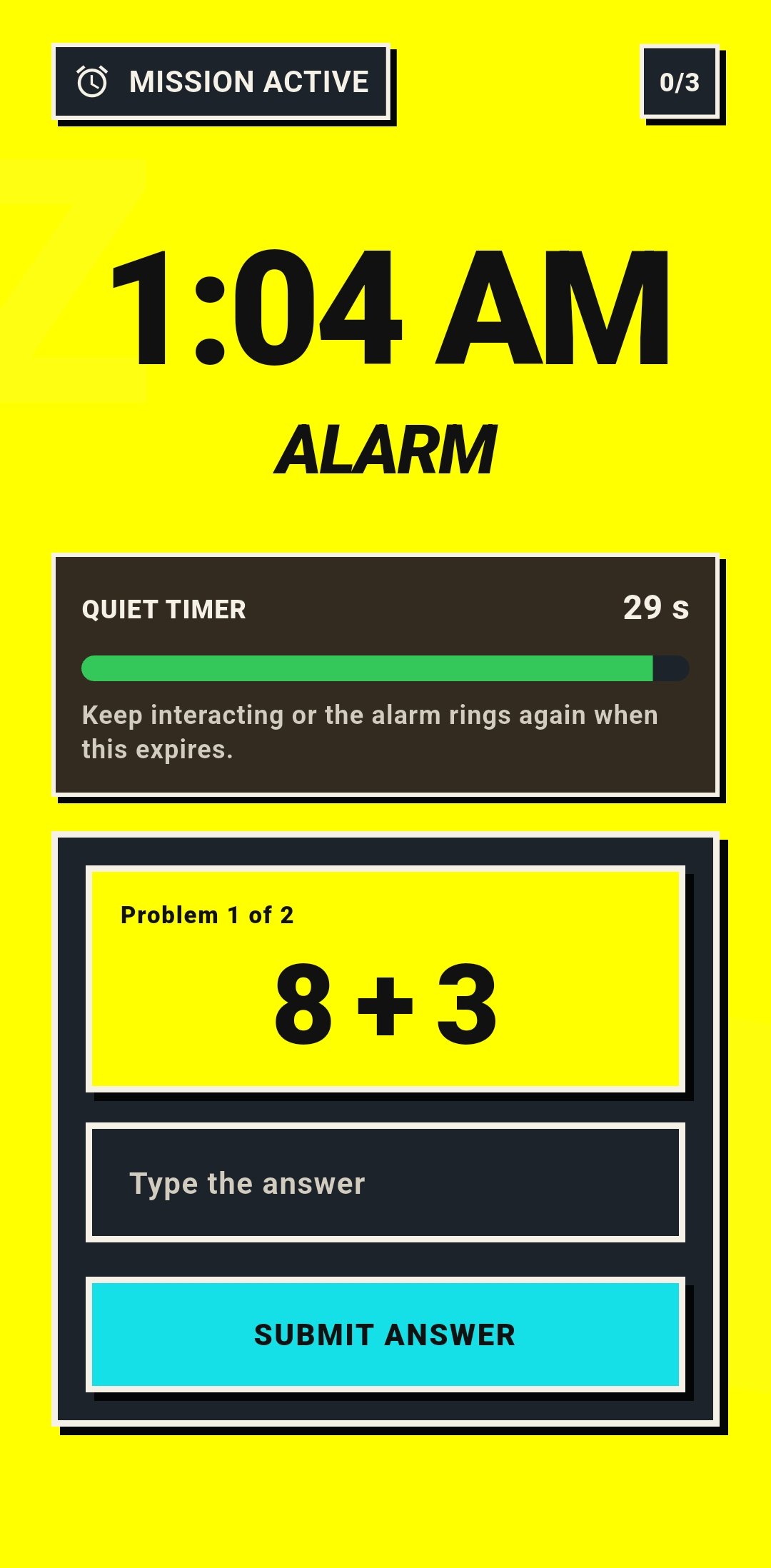
The Problem: The original ringing engine used a single persisted session slot. If one alarm was already active and another fired, the second alarm overwrote the stored session. The interrupted alarm was lost, in-progress mission state was stomped, and stale timers could fire for sessions that no longer existed. This is a systems correctness bug, not a missing feature.
The Fix: A persisted session stack instead of a single slot. A newly fired alarm preempts by pushing to the top. The interrupted session is preserved beneath it with its inactivity timer canceled. Once the top alarm is dismissed or snoozed, the next preserved session resumes ringing. Flutter renders only the top active session; native Android preserves everything else.
The Problem: Android clears all scheduled alarms on reboot. If the app reads alarm definitions from credential-protected storage, it can't restore schedules until after the user's first unlock. That's too late — the 6 AM alarm fires before the user unlocks the phone.
The Fix: Alarm definitions and active ring-session
state live in device-protected storage. Reschedule receivers handle
LOCKED_BOOT_COMPLETED, BOOT_COMPLETED, time changes, and timezone
changes. Flutter startup before first unlock stays minimal — no nonessential plugin
initialization, no credential-protected assumptions. The native alarm engine can rebuild
exact schedules before the user ever touches the lock screen.
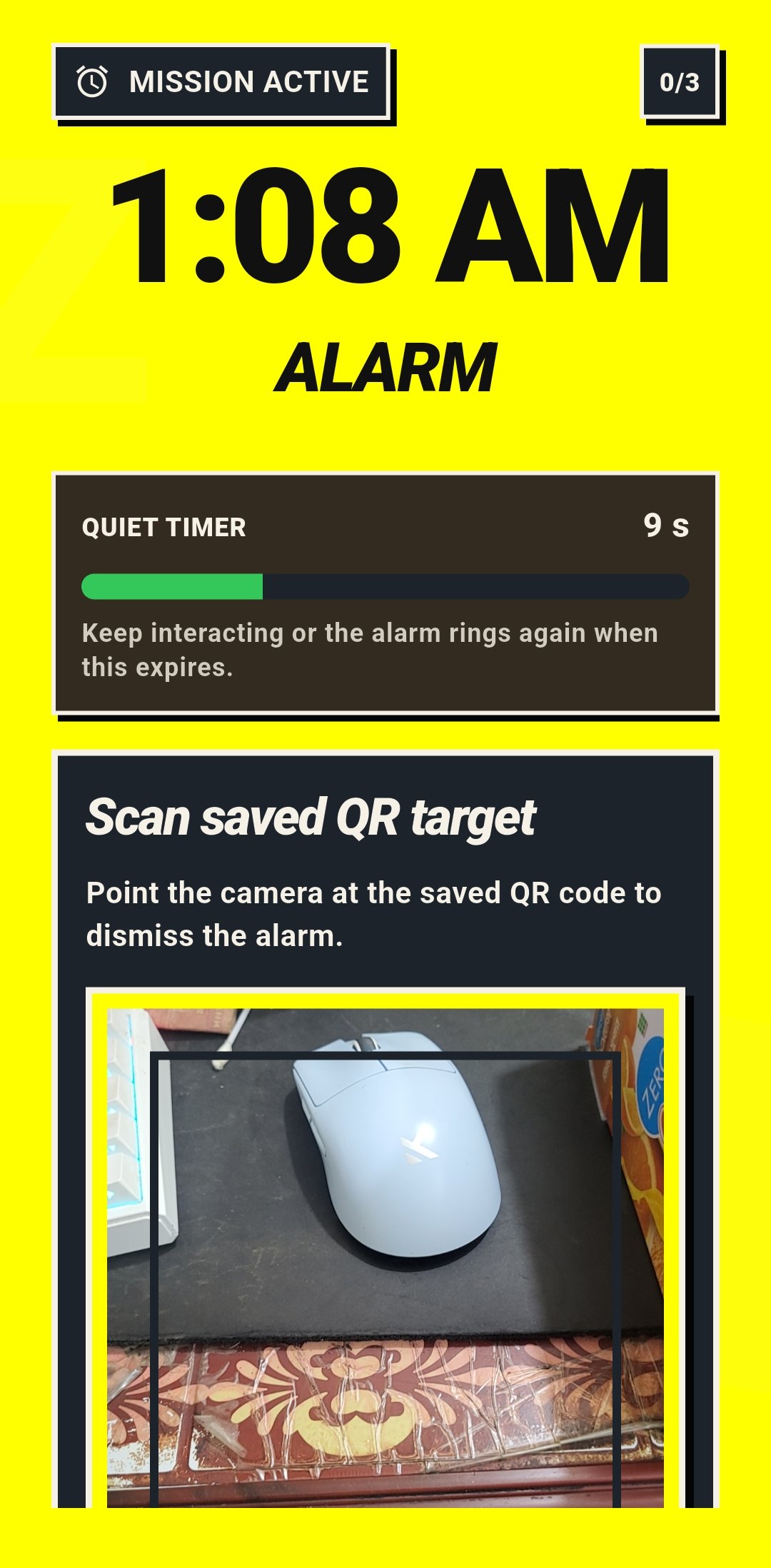
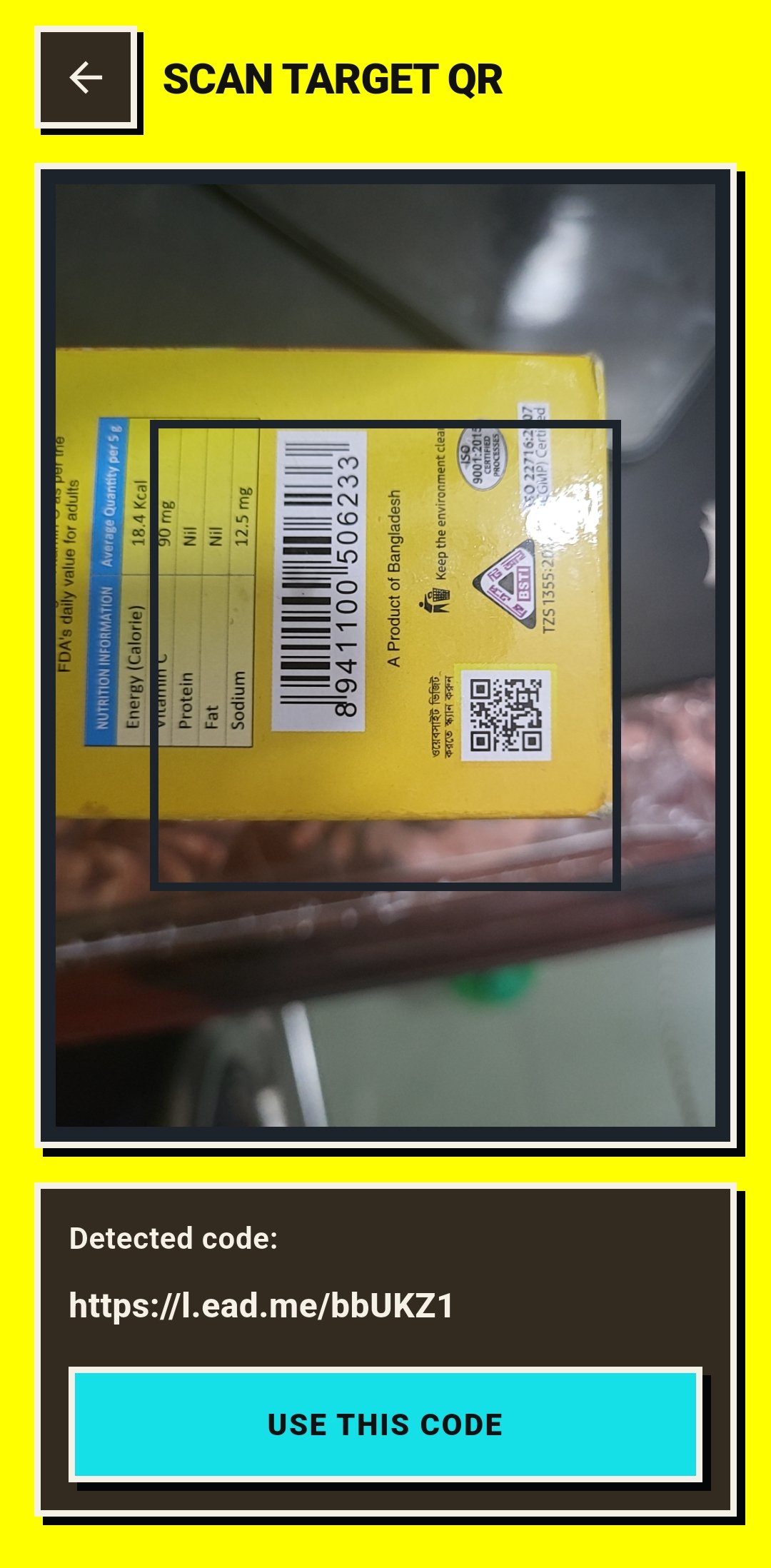
The Problem: The QR mission needs camera access and barcode scanning. A disposable plugin tied to one screen would make future object-recognition missions require rewriting the camera stack.
The Fix: A reusable native vision pipeline.
CameraX handles preview and frame analysis,
ML Kit barcode scanning runs as a swappable VisionAnalyzer,
and session startup is idempotent — re-entering the same camera config reuses the existing
session. Vision resources are disposed explicitly with the activity lifecycle. Future
TinyML or TFLite missions become an analyzer swap, not a camera rebuild.
The Problem: The original alarm playback used Android's
Ringtone API — simple but incapable of per-instance volume control.
Users wanted gradual volume ramp, but Ringtone offers no volume API
worth using. Worse, after reboot before first unlock, the user's default alarm tone
fails to resolve reliably on some OEMs.
The Fix: Full migration to
MediaPlayer with a dedicated
AlarmPlaybackController extracted from the ringing service. Volume ramp
is per-alarm opt-in, ramping the player instance rather than mutating
the global alarm stream. Extra Loud mode attaches a
LoudnessEnhancer (+200 mB) only on speaker-safe output routes — wired
headphones, Bluetooth, and USB audio are excluded. Before first unlock,
the engine uses a bundled direct-boot-safe fallback tone from raw
resources instead of trusting OEM-dependent media resolution.
The Problem: User-selected tones can disappear, lose permission, point at dead URIs, be oversized, or simply fail to play at alarm time. If a custom tone silently fails, the alarm is effectively muted — the worst possible outcome for a reliability product.
The Fix: A conservative import pipeline.
Tone selection via Android's document picker with MIME-type validation
(MP3/WAV only, checked via ContentResolver.getType(), not file
extension). Imports capped at 15 MB. The app
copies into app-managed storage first, falling back to a persistable
URI reference only on copy failure (partial files cleaned up). If a configured tone
later becomes unavailable, the alarm still fires with the bundled fallback
tone and Flutter surfaces a repair warning. Before first unlock after
reboot, custom tones are never trusted — always the
direct-boot-safe fallback.
The Problem: Debug builds reported ~300 MB of storage. Was the app actually bloated? Were there hidden CPU costs or background work leaking from dependencies?
The Investigation: A full adb-driven
audit on a real Samsung device proved the storage scare was debug-only: the
release APK is 68 MB vs 214 MB debug (Flutter kernel blob +
duplicated debug assets). Cold-start timing via am start -W came in at
212–229 ms. Idle CPU: 0.0%. No lingering foreground
service on the dashboard. dumpsys alarm showed clean exact-alarm
scheduling with no background timer noise. The only recurring background work came
from ML Kit's datatransport.runtime — tracked and documented, not
ignored. A long-idle Doze test confirmed alarm delivery after 75 minutes
of screen-off idle.
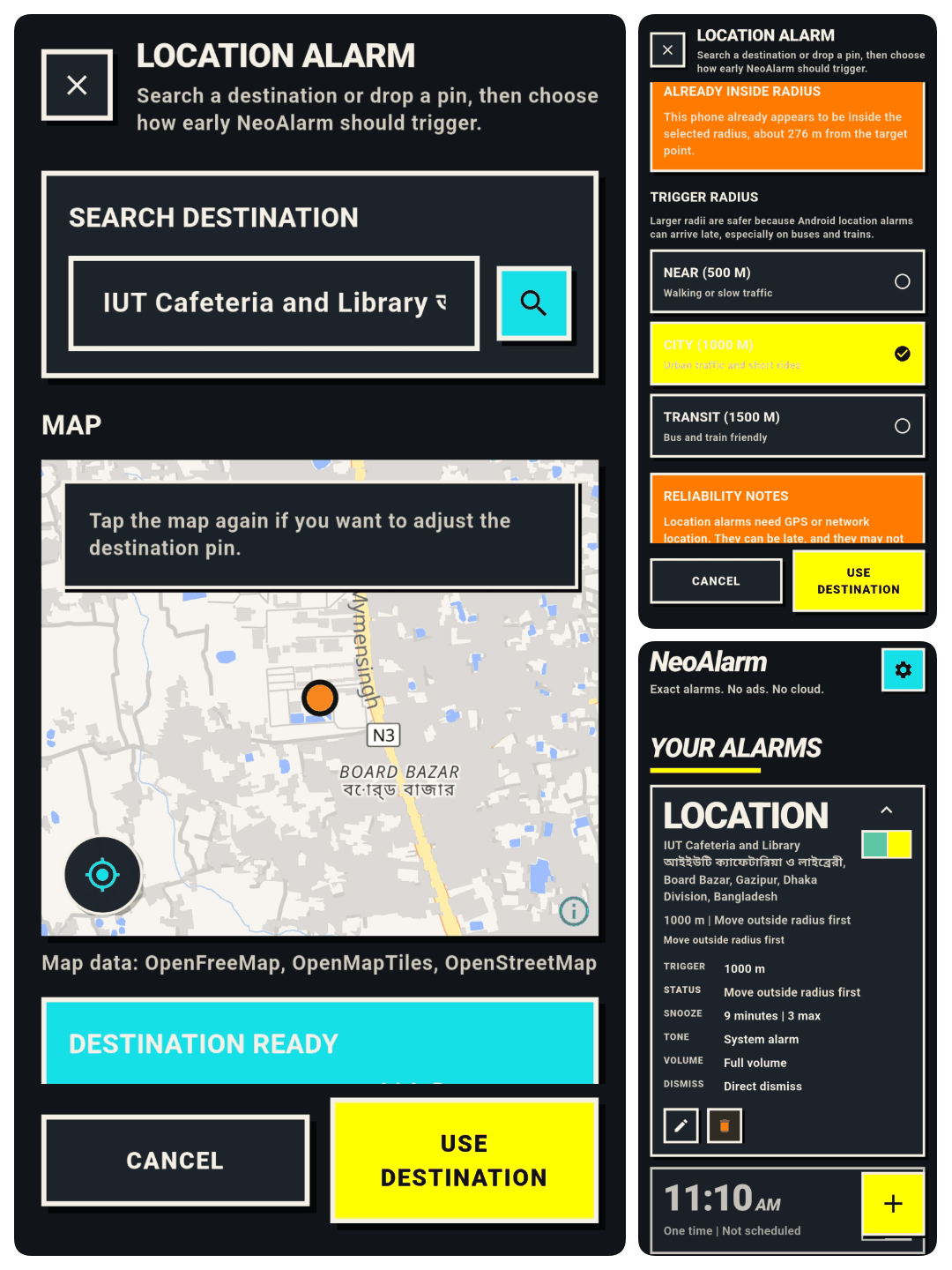
The Problem: Users fall asleep on buses and trains. Time-based alarms can't solve "wake me when I'm near my stop." But location alarms are much riskier than time alarms: they involve background location permissions, Google Play policy scrutiny, geofence delivery latency, OEM background behavior, reboot re-registration, and unreliable GPS underground.
The Fix: A hybrid state machine. The inner geofence (user-selected radius: 500m/1000m/1500m) remains the source of truth for arrival. An outer approach zone (~3× trigger radius) arms a passive fused-location listener as a low-cost assist — no continuous GPS polling, no foreground-service tracking by default. The setup flow uses MapLibre + OpenFreeMap Liberty for rendering, Photon for place search, and optional OpenCage for dropped-pin reverse geocoding. The alarm record stores only label, lat, lng, and radius — no provider-specific IDs.
Each location alarm derives an explicit health state (10 states including
HEALTHY, REARM_PENDING, NO_BACKGROUND_PERMISSION,
GEOFENCE_NOT_REGISTERED, PLAY_SERVICES_UNAVAILABLE,
BATTERY_RESTRICTED) surfaced per-alarm on the dashboard with repair
guidance — not buried in a diagnostics screen. Reboot recovery re-arms geofences
through native retry scheduling, not a single optimistic registration attempt.
The Problem: After shipping location alarms, the codebase had grown significantly with new native surfaces (geofence registration, passive approach monitoring, re-arm scheduling). How confident were we that the new code met the same reliability bar as the time-alarm engine?
The Response: A comprehensive post-location-alarm audit covering the native alarm engine, location alarm internals, custom tone import, Flutter flows, release CI, manifest, and Gradle config. Produced 28 findings across security, performance, reliability, and maintainability:
- 8 release-blocking — geofence cleanup after trigger, boot re-arm isolation, Play Services task timeouts, wake-lock teardown paths, async race conditions, health fail-closed parsing
- 8 security — CI signing secret isolation, release dispatch verification, counted-stream tone import, device-protected storage scoping, exported receiver action filtering
- 6 performance — duplicate resume work, passive listener leakage, network timeouts, APK size tracking
- 6 maintainability — coordinator decomposition, method-channel handler splitting, provider abstraction, documentation drift
All findings converted into an ordered fix plan tracked in a dedicated reliability-security-quality hardening sprint.
Architecture
flowchart LR
  subgraph Flutter["Flutter Shell"]
    Dashboard["Dashboard / Settings"]
    Editor["Alarm Editor + Tone UI"]
    LocSetup["Location Alarm Setup"]
    MissionUI["Mission UI Drivers"]
    SessionStream["Active Session Rendering"]
  end

  subgraph Native["Native Android Alarm Engine"]
    Scheduler["AlarmManager + Reschedule Receivers"]
    SessionStore["AlarmStore + RingSessionStore"]
    Coordinator["AlarmSessionCoordinator"]
    Service["AlarmRingingService"]
    Playback["AlarmPlaybackController"]
    ToneLib["ToneLibraryManager"]
    Runtime["Mission Runtimes"]
    Vision["CameraX + ML Kit Vision Pipeline"]
    LocCoord["LocationAlarmCoordinator"]
    Geofence["GeofencingClient + Receivers"]
    Approach["Passive Approach Monitor"]
  end

  Dashboard -->|"alarm CRUD + diagnostics"| Scheduler
  Editor -->|"AlarmSpec + MissionSpec"| Scheduler
  Editor -->|"tone import"| ToneLib
  LocSetup -->|"destination + radius"| LocCoord
  Scheduler -->|"exact wake-up"| Service
  Service --> Playback
  Service --> SessionStore
  Service --> Runtime
  Playback --> ToneLib
  Runtime --> SessionStore
  Coordinator --> SessionStore
  Coordinator --> Scheduler
  Vision --> Runtime
  MissionUI -->|"user intents only"| Runtime
  SessionStore -->|"top active session stream"| SessionStream
  LocCoord --> Geofence
  LocCoord --> Approach
  Geofence -->|"ENTER transition"| Service
  Approach -->|"passive arrival detect"| LocCoord
Runtime Model
- Time Alarm Delivery:
AlarmManager.setAlarmClock()exact scheduling. Native foreground service starts immediately on broadcast — audio, vibration, and wakelock begin before Flutter UI is required. - Location Alarm Delivery:
GeofencingClientregisters inner trigger + outer approach geofences. PassiveFusedLocationProviderClientassist near destination. 10-state health model per alarm. Reboot re-arms via native retry scheduling. Duplicate-trigger suppression via stable geofence IDs and cooldown windows. - Playback:
MediaPlayer-based with per-alarm volume ramp, speaker-onlyLoudnessEnhancer, custom tone import with MIME validation, and a bundled direct-boot-safe fallback tone. - Session State Machine: Three persisted states —
ringing,mission_active,snoozed. Each state changes what the system is allowed to do: whether audio plays, whether dismissal is legal, whether timeouts re-trigger. - Mission Platform: Modular mission contract — the alarm engine decides when a mission is required, a mission driver evaluates completion, and the UI renders progress. New missions plug in without re-auditing the scheduler.
- Recovery: Process death → native session state is authoritative. Relaunch restores into the active mission flow. Reboot → direct-boot receivers rebuild exact schedules and re-arm geofences from device-protected storage.
- Performance:
229 mscold start on device,0.0%idle CPU,68 MBrelease APK. Macrobenchmark + Perfetto for repeatable measurement. Gradle dependency audit to track ML Kit background work. - Quality: 28-finding security/performance/reliability audit.
flutter analyze,flutter test,lintRelease, release APK install + real-device route testing. Strict Dart analyzer withstrict-castsandstrict-inference.